New: Live Indicator, Onsite Chat & Content Search
Live status visibility in Web Studio, real-time chat for onsite attendees, and a command palette for navigating Event Admin.
This update brings a live broadcast indicator to Web Studio, chat to the onsite app, and a keyboard-driven content search to Event Admin.
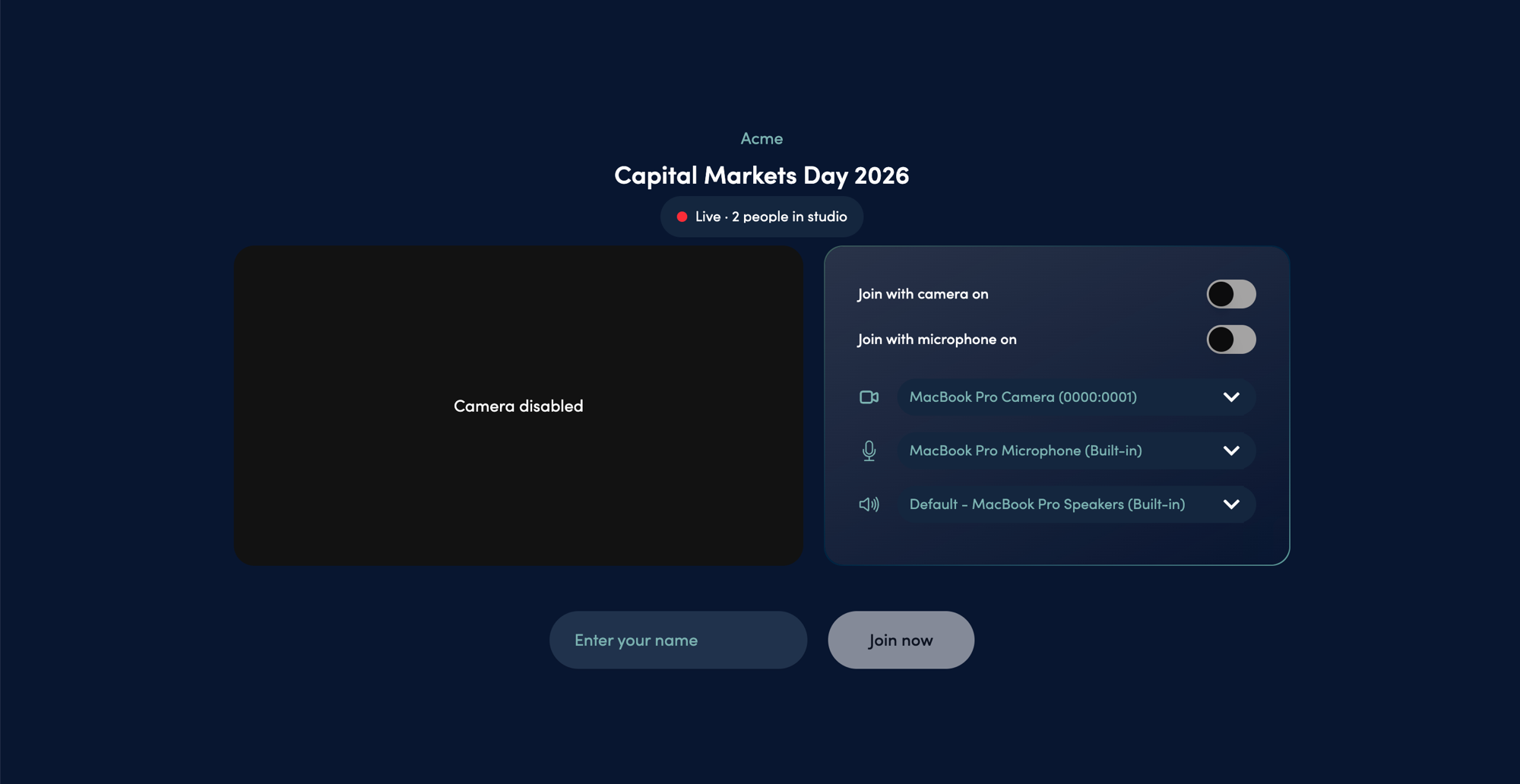
Live Indicator in Web Studio
When your event is broadcasting, the Web Studio lobby shows a red Live badge along with how many people are already in the studio. You can click it to see their names. Useful for checking what’s going on before you join.
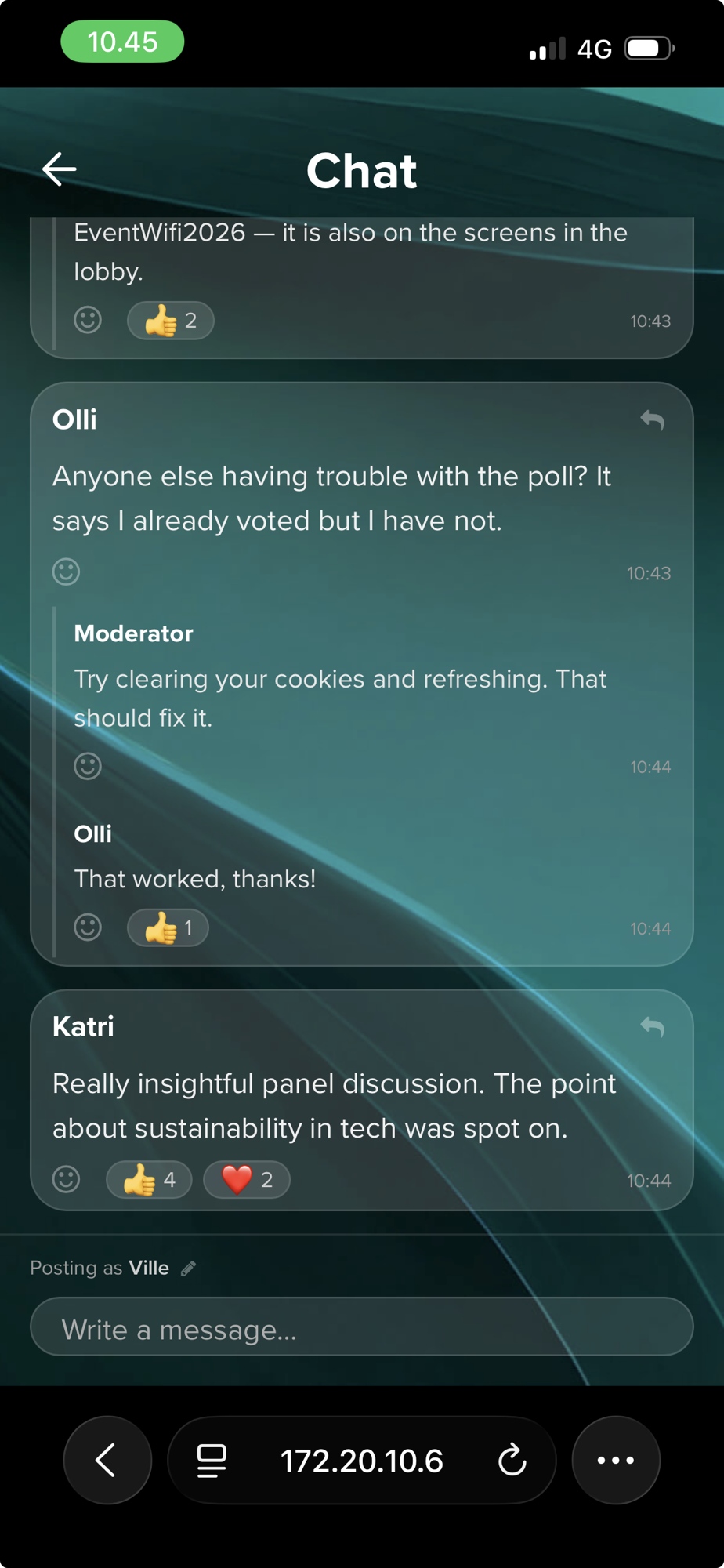
Onsite Chat
The onsite companion app has a Chat section. Attendees can write messages, reply to each other, drop emoji reactions, and upload images. If you need moderation, messages can be held for review before they go public. You can customize the chat title and placeholder text under Messageboard appearance in event settings.
Content Search in Event Admin
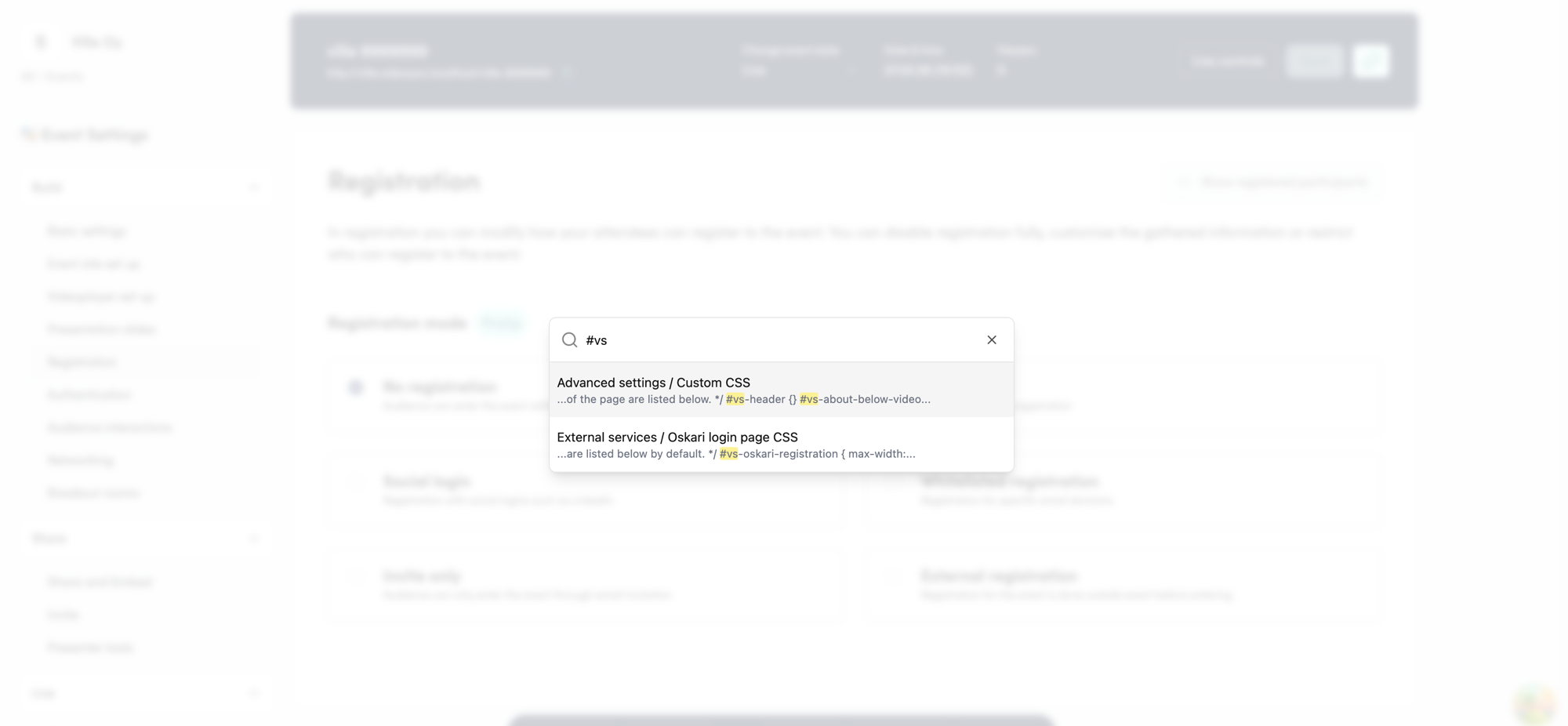
Hit Cmd+K (or Ctrl+K) in Event Admin to search across pages, settings, and actual event content — speaker names, email templates, registration fields, you name it. Results show up grouped by section with highlighted matches and content snippets, and clicking one takes you straight there.